how to do it with soap
- 1
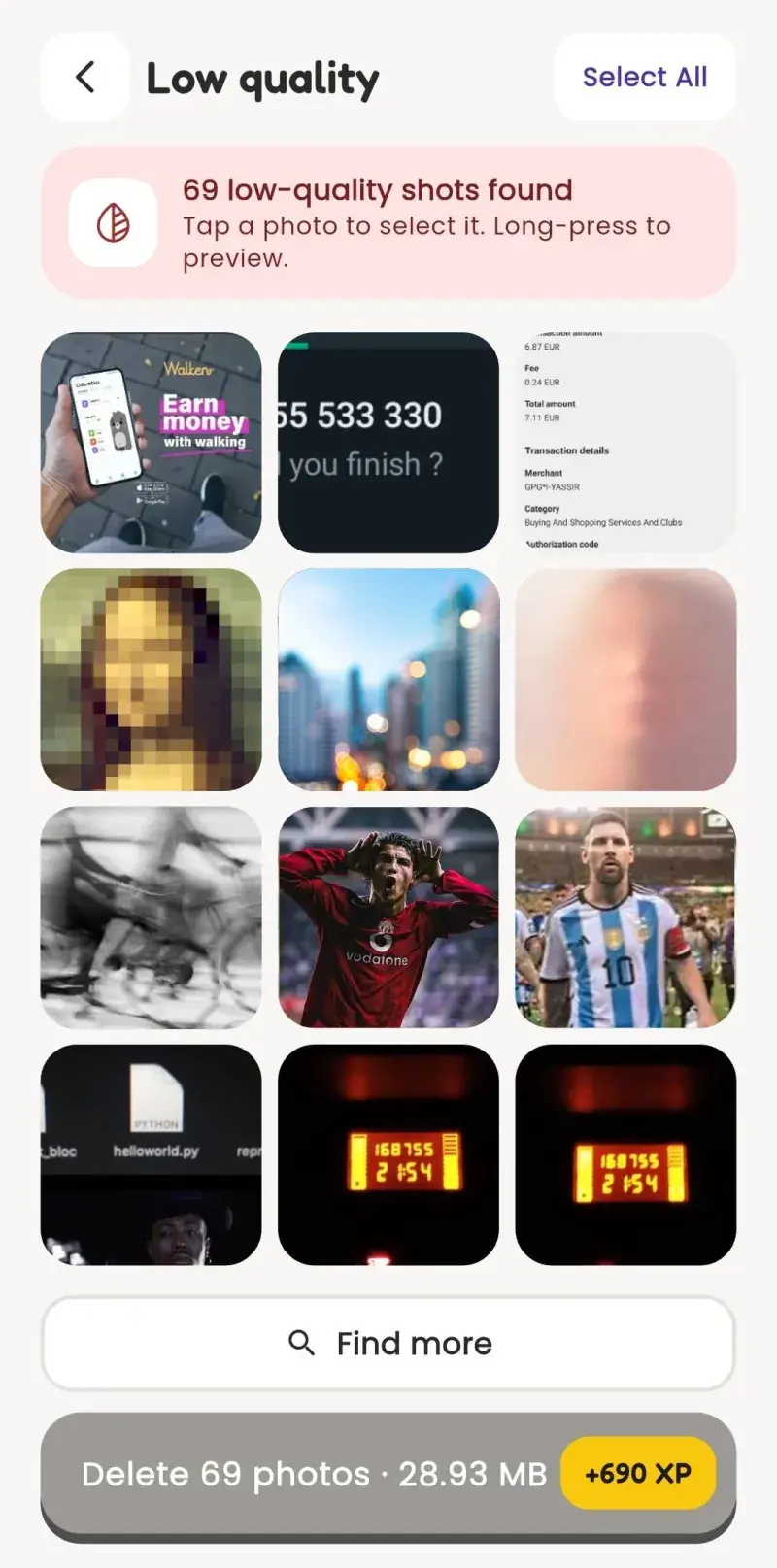
open low quality
Tap the low-quality mission on the home screen.
- 2
preview anything unsure
Long-press any photo to see it full size before deciding.
- 3
clear the batch
Keep the ones you love, then delete the rest with one tap.
what counts as a low-quality photo
- Blurry or out of focus: motion blur, missed focus, or a lens smudge.
- Too dark: night shots with nothing visible and pocket shots.
- Accidental: photos of the floor, your thumb, or the inside of a bag.
when to keep a blurry photo
Some blurry photos are the only picture of a moment. Soap never deletes on its own. It shows you the candidates and lets you choose, and you can long-press to check a photo before it goes.
private by design
Judging blur means analysing each image. Soap does that on your phone, so even your worst photos stay between you and your phone. Read more about on-device vs cloud photo AI.
frequently asked questions
how does soap know a photo is blurry?
Soap analyses each photo on your device and flags the ones that look blurry, shaky or very dark. You always make the final call.
can i undo a delete?
Before you confirm, you can undo swipes in the app. After deleting, iPhone keeps photos in Recently Deleted for 30 days, and Google Photos keeps trashed items for 30 days.