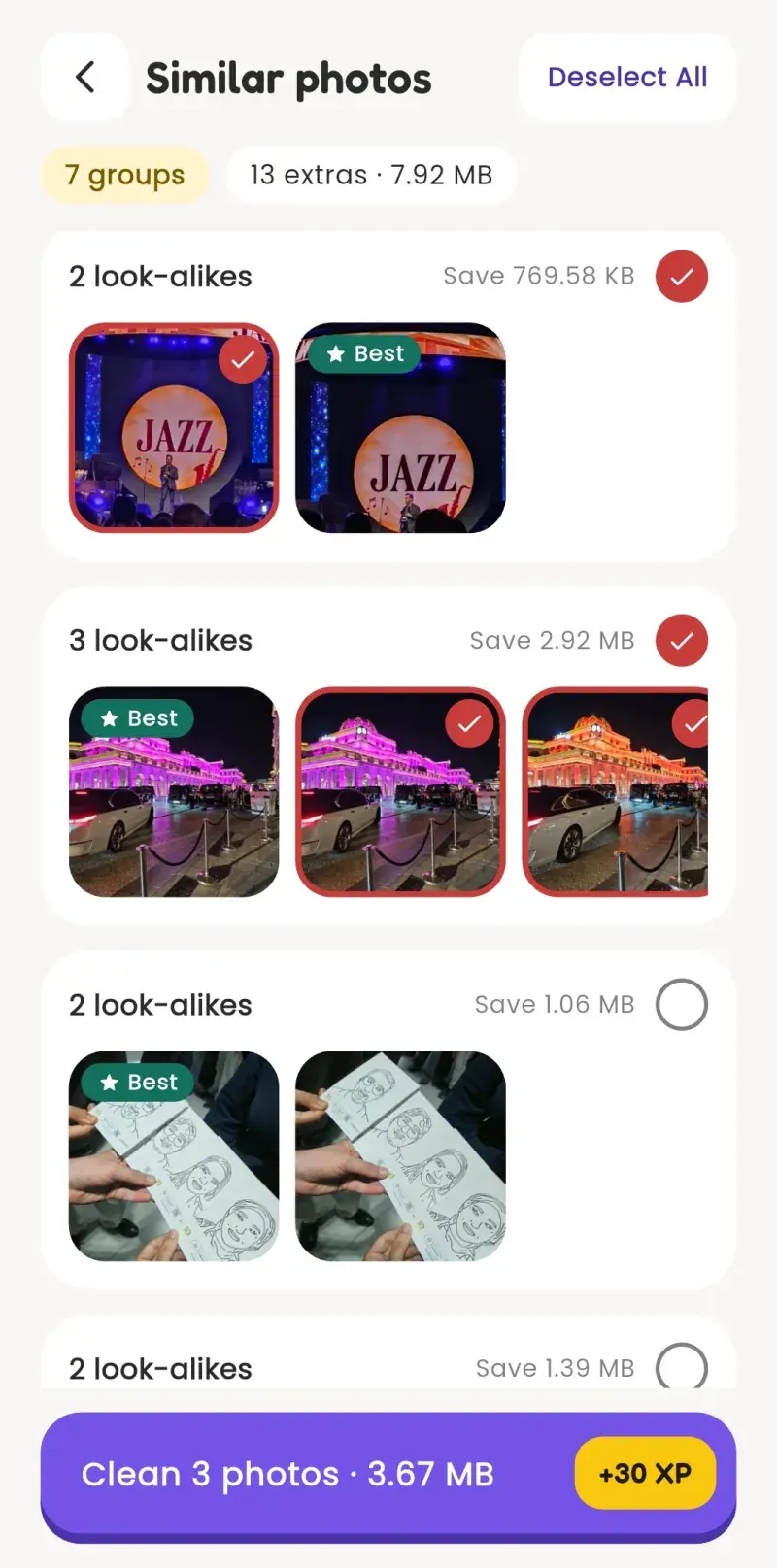
how to do it with soap
- 1
open the similar mission
From the home screen, tap the similar photos mission.
- 2
check each group
Bara marks the best shot to keep. Tap another photo to make it the keeper instead.
- 3
clear the rest
See how much space the group frees, then delete the extras in one go.
similar vs duplicate: what’s the difference?
An exact duplicate is the same file saved twice, for example a photo you downloaded again or received in two chats. A similar photo is a different file that looks almost the same: burst shots, retakes, or the same scene a second apart.
Built-in tools such as the Duplicates album on iPhone focus on exact or near-exact copies. Most of the space in a typical camera roll is taken up by the second kind, and that’s where a similar-photo finder helps.
tips for clearing look-alikes quickly
- Start with the groups that free the most space. Soap shows how much each group saves.
- Trust the keeper, but glance at faces: the sharpest frame isn’t always the one where everyone’s eyes are open.
- Do one month at a time. Short sessions keep your streak going and are easier than one huge clean-up.
- If you use iCloud Photos, remember that deleting on your iPhone also deletes the photo on your other Apple devices.
done on your phone
Comparing photos means looking at every one of them. Soap does that comparison on your device, so none of your pictures are uploaded to find their twins. Why that matters.
frequently asked questions
will soap delete photos automatically?
No. Soap pre-selects the extras in each group, but nothing is deleted until you confirm.
where do deleted photos go?
On iPhone, photos you delete go to the Recently Deleted album in Photos, where you can recover them for 30 days. Empty that album to get the space back immediately.
does it find duplicate videos too?
Soap has a separate videos mission for going through your videos. The similar finder focuses on photos.